Approval and processing
Approve mileage logs with less effort and more confidence
Driversnote flags the trips that look off, so you can catch errors and questionable claims early, review faster and stay audit-ready.


“There was never a single period of accurate reporting and timely submissions until we switched. We can now approve over 150 reports in a day, compared to the usual 40 before, with a lot of back and forth.”

Linda Jada
Results from teams like yours
Nearly four times as many reports approved a day
“There was never a single period of accurate reporting and timely submissions until we switched.”
Linda Jada
Far fewer reports that need fixing
“Our old tracking solution was expensive, full of errors, and took forever to review. Driversnote is just an easier way to do it, for me and for our admin team.”
Hanna

Mileage processing in hours, not days
“Any support issues have always been dealt with quickly by a helpful and polite team. I'd recommend it without hesitation.”
Francesca Ruiz
Your approval flow, simplified
Review
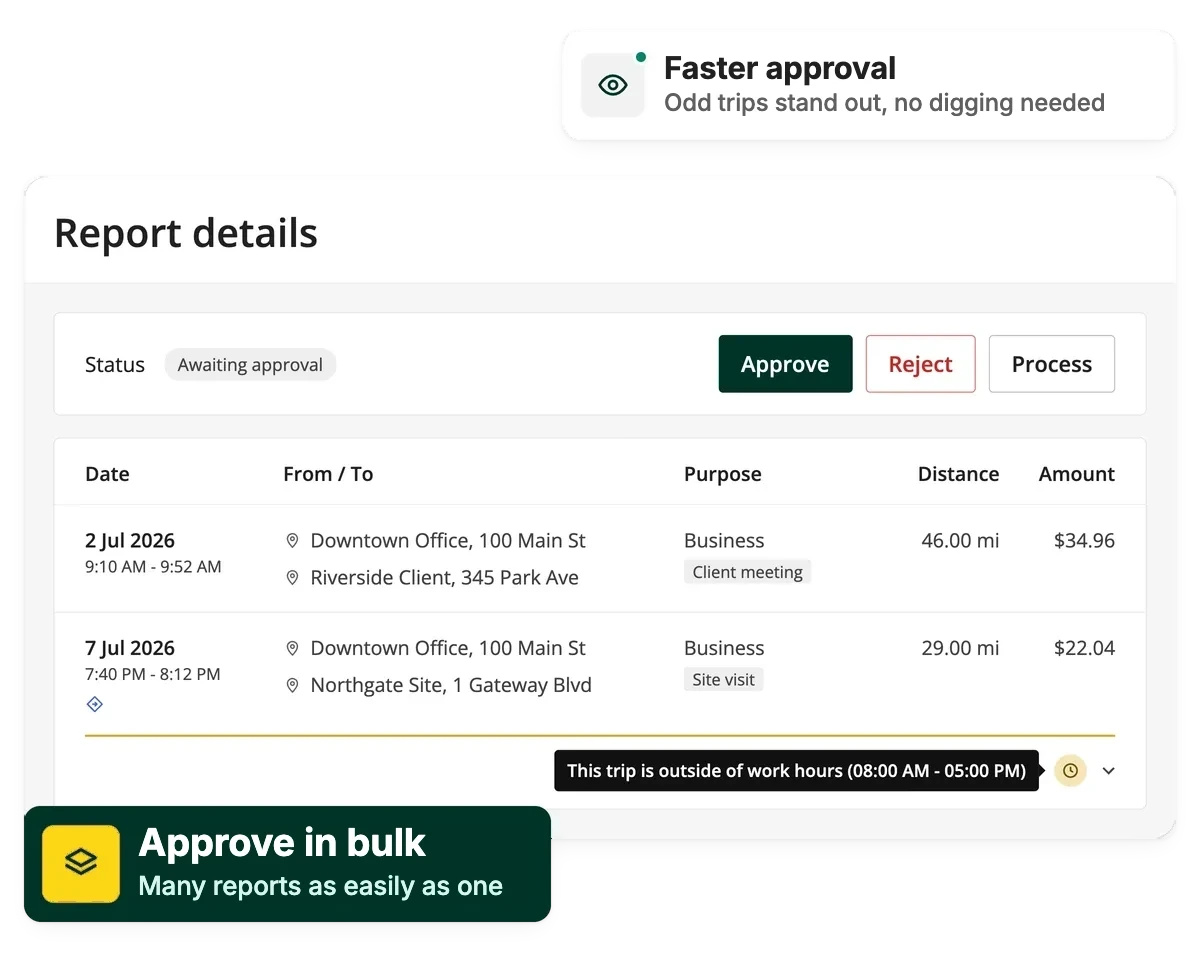
Driversnote automatically checks every trip against your rules and flags anything outside work hours, unusually long, starting or stopping at home, or entered by hand. You only look where it matters.
Approve
Filter by status, then approve, reject or process many reports as easily as one, without opening each report.
Export
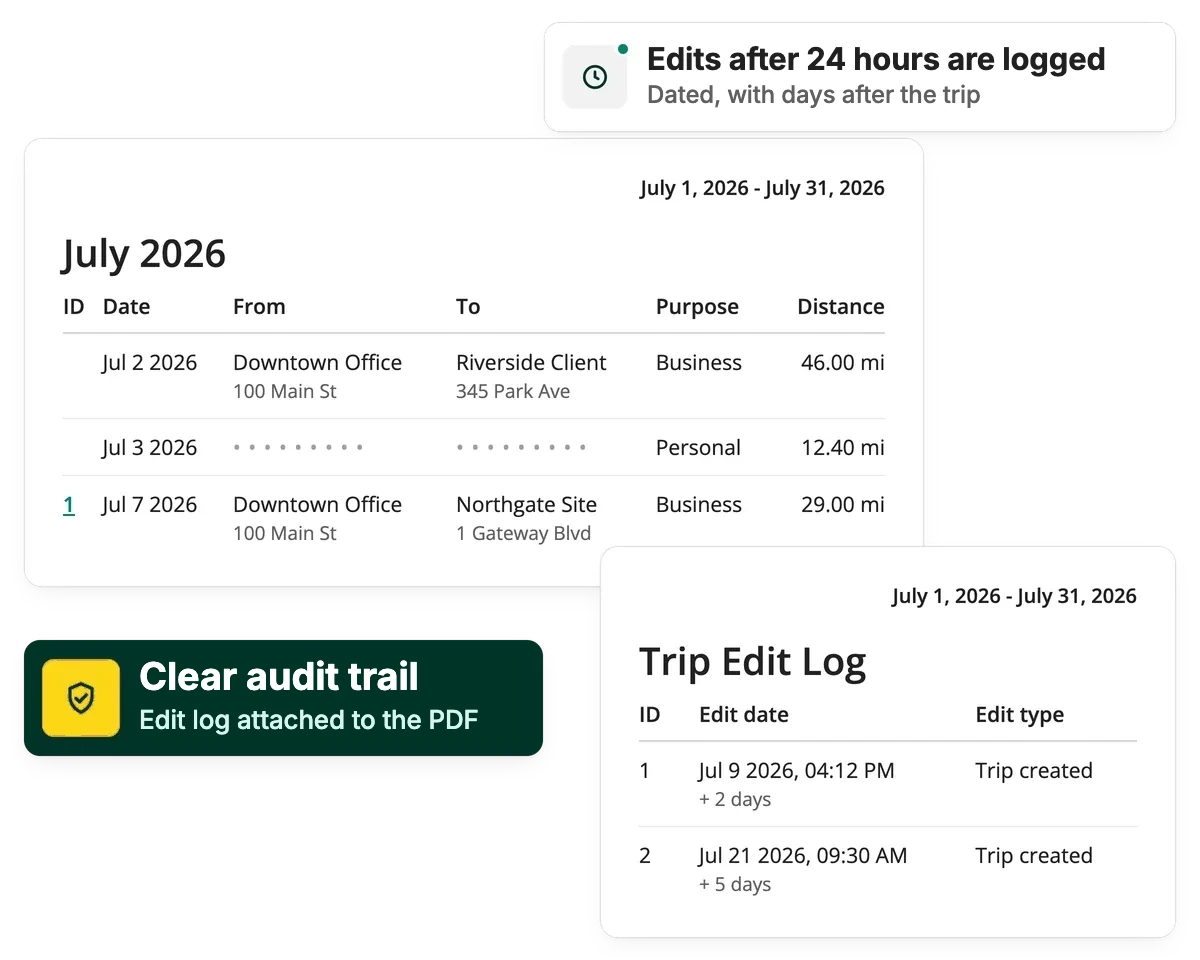
Mark reports Processed and export them as IRS-compliant PDF or Excel files. Turn on the edit log to attach late changes to the PDF.
Stay IRS compliant and audit-ready
Once a report is processed, it's ready to hand off as IRS-compliant PDF or Excel files. Turn on the edit log, and the PDF also lists every change made to a business trip more than 24 hours after it ended, with when it was made and how many days later.
Privacy & security
Protect driver privacy
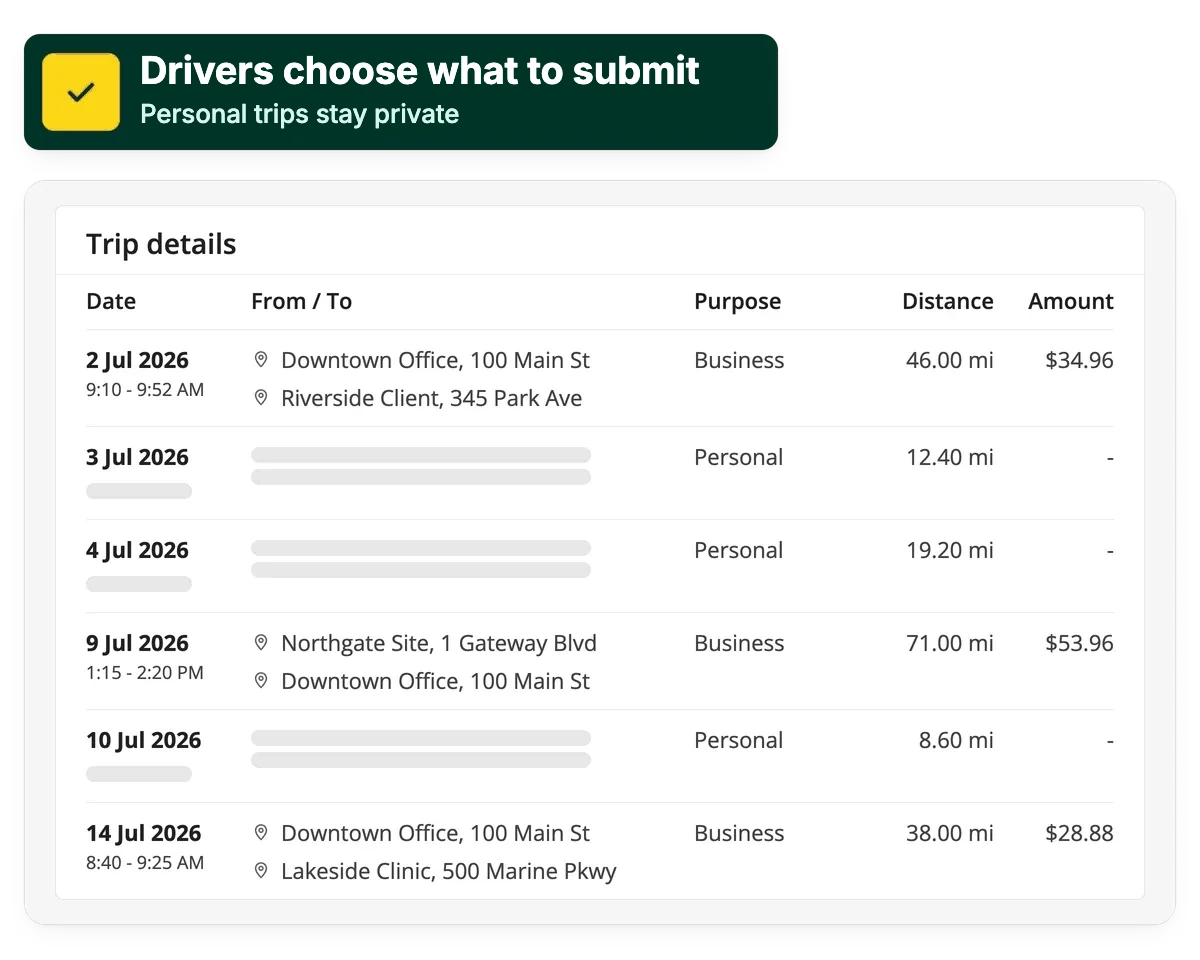
Addresses and times on personal trips can be blurred automatically across every report, so drivers keep their privacy and you keep the oversight you need.
Integrations & API
Connect Driversnote to the tools you already use
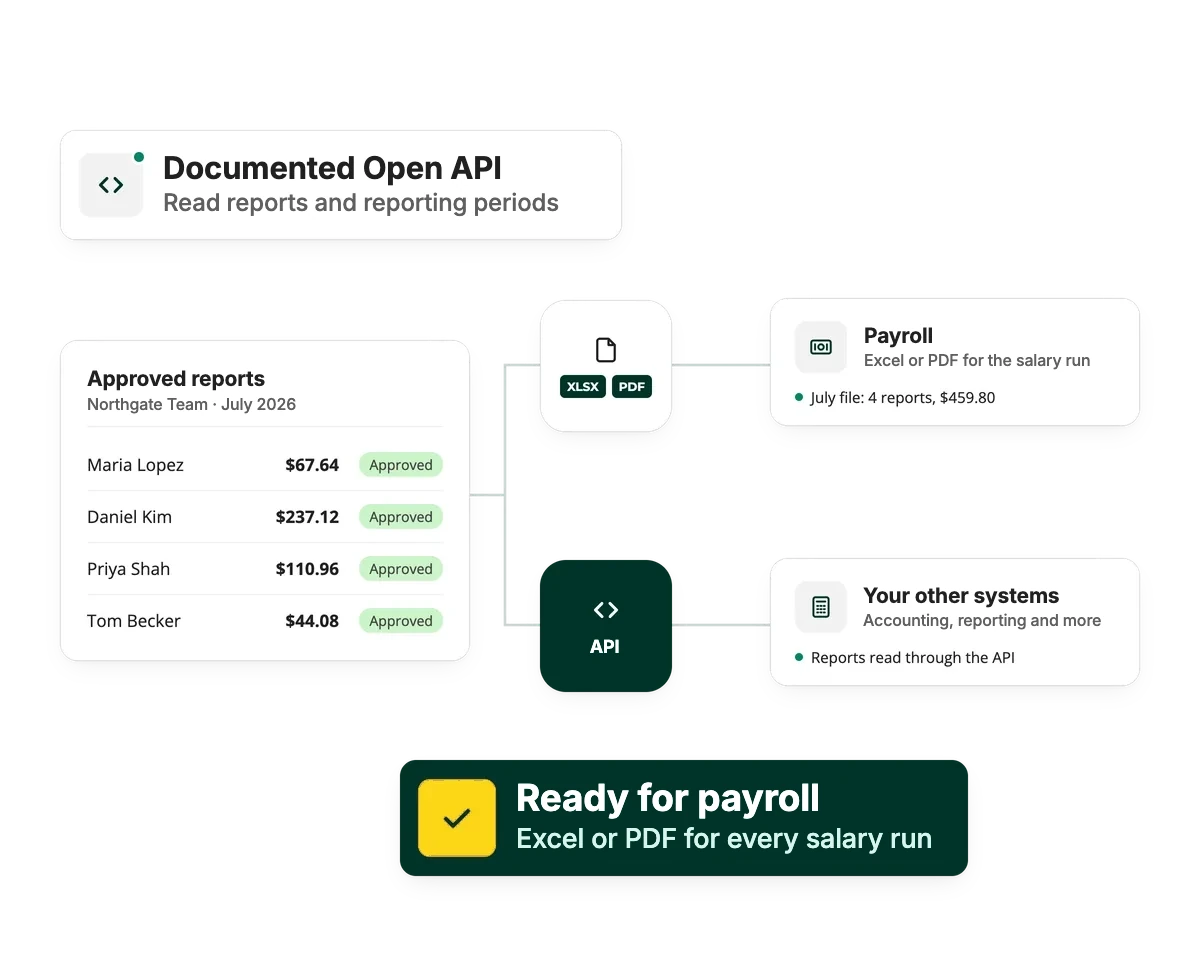
Driversnote has a public, documented API, so your accounting and reporting tools can use your mileage data directly. For payroll, export approved reports as an Excel or PDF file.
Built for when the details matter
Manager
Catch questionable claims early
Driversnote automatically flags trips outside work hours, unusually long trips, trips that start or stop at home and trips entered by hand. You can see the actual route behind a claim, not just the distance.
Admin
Clear the queue in bulk
Filter reports by status (not submitted, awaiting approval, approved, rejected or processed), with counts for each, then approve, reject or process many reports at once. You can review mixed reports without seeing personal addresses or times.
Finance
Reports that arrive ready for payroll and audits
Export IRS-compliant PDF or Excel reports for payroll or your accountant, with an edit log in the PDF that shows late changes. Use the API to connect Driversnote to your accounting system.
Explore how Driversnote supports your mileage program
Mileage reimbursement
Pay every driver the right amount each month, at the standard rate or your own, with a mileage log behind every claim.
FAVR program
Run a fixed and variable rate (FAVR) program, with the business miles you need to work out each driver's variable payment.
Company cars
Document business and personal use of company cars, so your accountant has what they need to work out the taxable benefit.
Frequently Asked Questions
Every trip comes with its date, time, distance and actual route. Trips that look off (outside work hours, unusually long, starting or stopping from home, or entered by hand) are flagged automatically, and the edit log in the PDF report shows late changes to business trips, so you can see what changed and when.
Yes. Filter your team's reports by status and approve, reject, or process several at once instead of opening each one individually.
Yes. Mark reports as processed and export a PDF or Excel file for payroll or your accountant.
Yes. You only see trips that drivers submit, and addresses and times on personal trips can be blurred, while the distance still counts toward the total.